
Quality & roles
Open Quality & roles in the project navigation or from the chat sidebar. Seven tabs build visual reports from your project’s own evidence: coverage matrices, review queues, release readiness, sprint risks, forecasts, PI readiness, dependency heatmaps and quality gates. The reports need no model; select Explain with AI when you want the risks interpreted. Every write a pack proposes, such as approving test cases or signing off a feature, opens the usual approval card with undo.
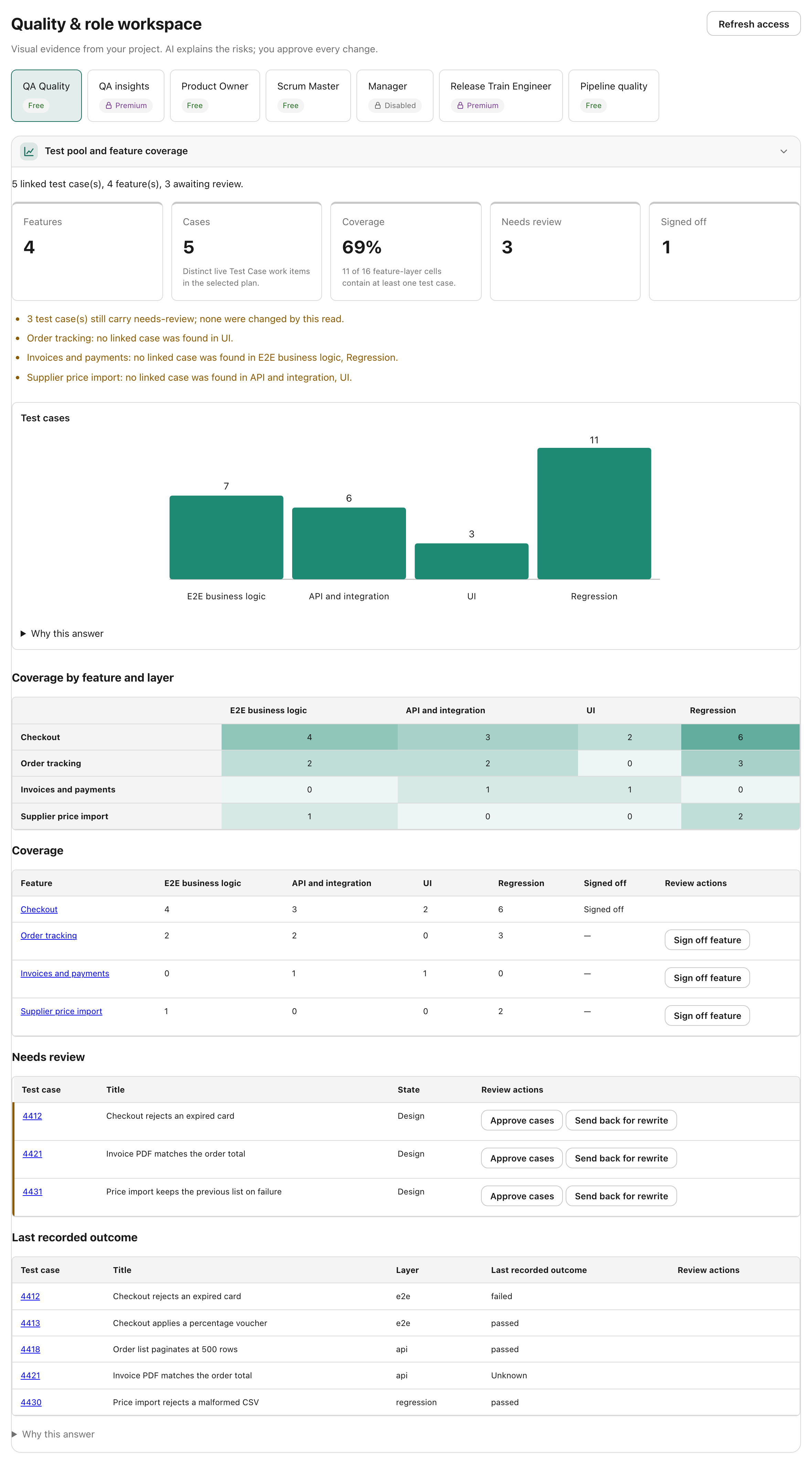
| Pack | Who it is for | What it shows |
|---|---|---|
| QA Quality | Testers, QA leads | Feature-by-layer coverage matrix, review queue, last outcome per case, audited feature sign-off |
| QA insights | QA leads, developers | Failure clusters, flaky candidates, bug triage, regression picks, exploratory charters |
| Product Owner | Product owners | Release readiness by feature and layer, acceptance criteria against real tests and pull requests, demo digest |
| Scrum Master | Scrum Masters | Scope, capacity, WIP, blocked age, unassigned work, impediments, retrospective facts, stand-up brief |
| Manager | Engineering managers | Epic forecast ranges, engineering measures for a chosen deployment pipeline, quality history, backlog ageing |
| Release Train Engineer | RTEs | Next-PI readiness, cross-team dependency heatmap, predictability, system-demo evidence |
| Pipeline quality | Everyone | Test steward history, published failures, review backlog, regression evidence as a read-only gate |
How a report is built
Section titled “How a report is built”- Pick the tab and, where the pack asks, the analysis, the work item IDs, the pipeline or the PI (
current,nextor a name). - Select Build visual report. StrideAI reads test plans, work items, pipeline results and links with your permissions.
- Read the charts and tables. Every report ends with Why this answer: the queries, sample sizes and formulas behind it.
- Optional: Explain priorities with AI for a narrative, or Review actions to approve the writes the pack proposes.
Honest about missing evidence
Section titled “Honest about missing evidence”- Coverage means linked test cases, not code coverage or proof that tests ran.
- Missing outcomes, historical cohorts, mappings, capacity or business values stay unknown instead of becoming a guess.
- Forecast bands are observed-pace scenarios, not confidence probabilities.
- Engineering metrics require a deliberately selected deployment pipeline; ordinary CI success is not evidence of a production deployment.
- Large results are marked as a bounded sample; narrow the scope for complete figures.
Free, Premium and Disabled
Section titled “Free, Premium and Disabled”Every pack is Free in community mode. Settings → Features turns each one off per project. Organizations that connect the StrideAI platform can set a pack to Premium or Disabled, enforced on the server. See Free, Premium and Disabled.