
Connect a model
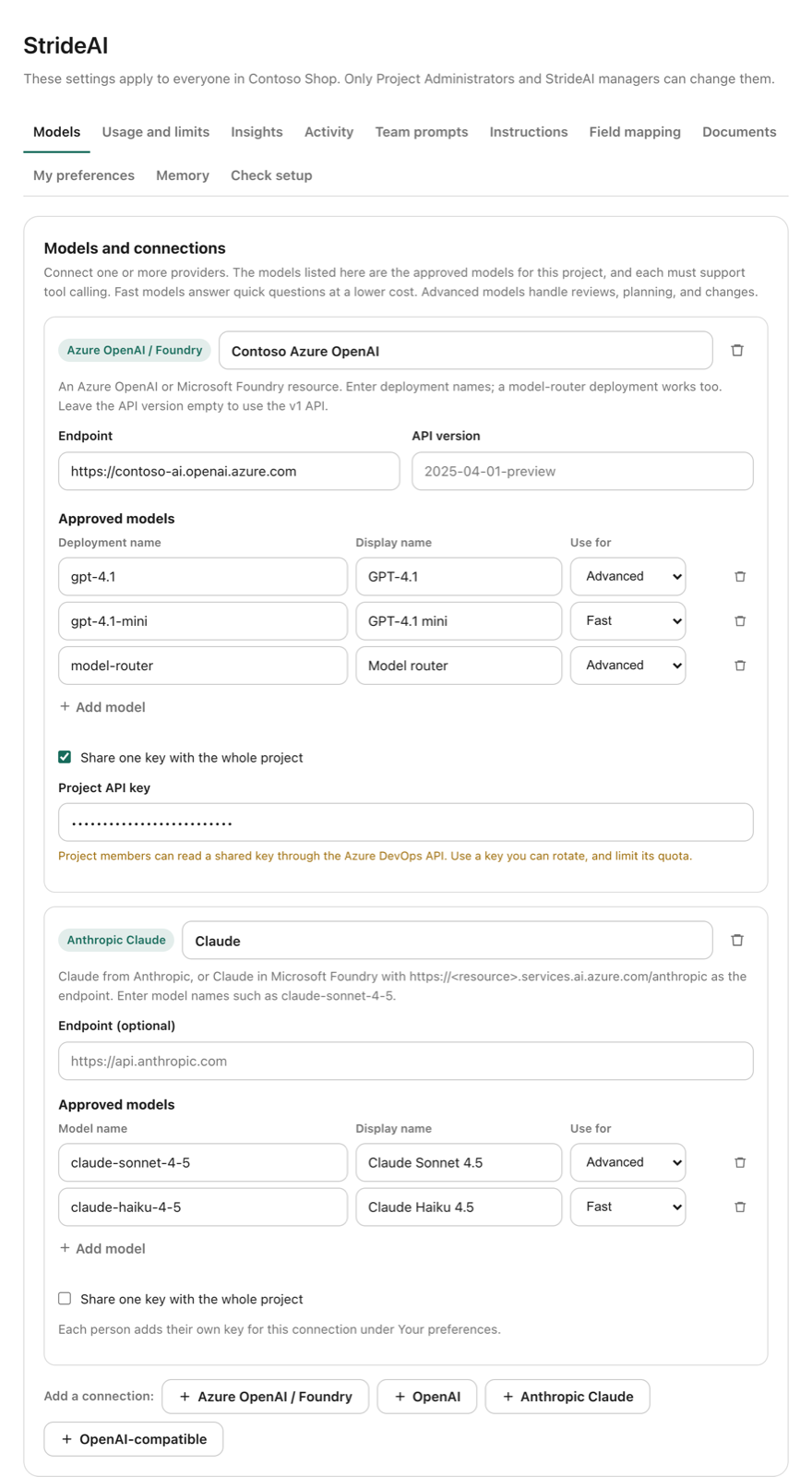
A Project Administrator or StrideAI manager connects the models once for the whole project in Project settings → StrideAI → Models.
Add a connection
Section titled “Add a connection”- Select Add connection and pick the provider:
- Azure OpenAI or Microsoft Foundry (including the model router and Claude in Foundry) with your resource endpoint,
- OpenAI,
- Anthropic Claude,
- OpenAI-compatible API for OpenRouter, LiteLLM, vLLM, Ollama, LM Studio or your own gateway,
- StrideAI Models when your organization has a plan (no endpoint or model names to type).
- Add one or more models that support tool (function) calling, for example
gpt-4.1andgpt-4.1-mini, orclaude-sonnet-4-5andclaude-haiku-4-5. - Mark each model Fast or Advanced.
- Enter an API key shared with the project, or leave it empty so that each person adds their own under My preferences.
- Select Test models, then Save.
Choose the default and routing
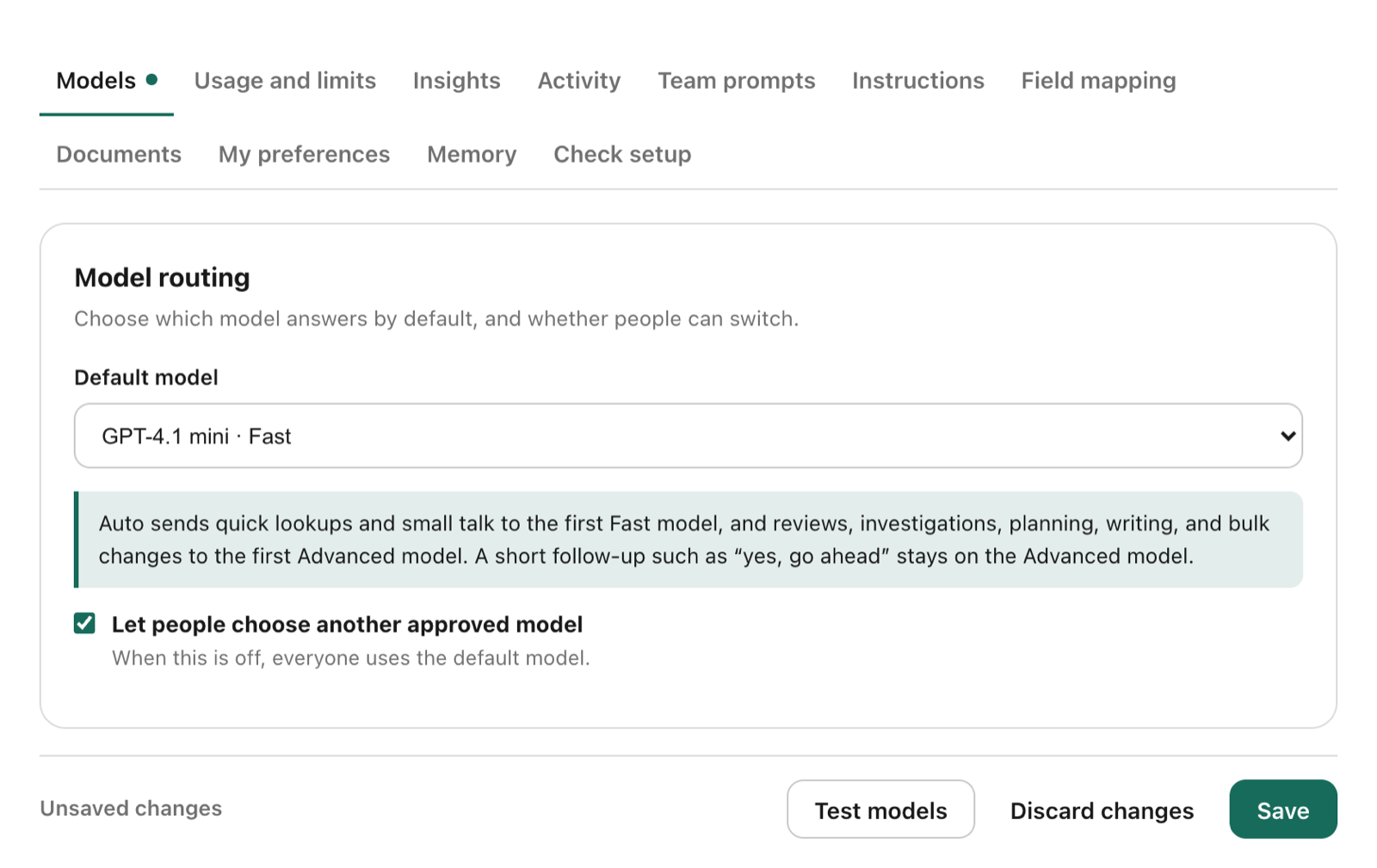
Section titled “Choose the default and routing”- A fixed model, or Auto: Auto picks a Fast model for quick lookups and an Advanced model for reviews, investigations, planning, writing and bulk changes. Each answer shows which model wrote it in Why this answer.
- Reasoning models such as GPT-5 and o4-mini think briefly for lookups and take their full time for reviews, plans and writing, so everyday answers come back fast.
- Allow people to switch to another approved model from the chat header, or keep everyone on the default.
- Connect several providers side by side; StrideAI falls back to another approved model automatically when one fails.
Who pays
Section titled “Who pays”- Shared key: one key per connection for the project. Project members can read it through the Azure DevOps API, so use a key you can rotate and set a quota on it with your provider.
- Personal keys: each person adds their own under My preferences; it is stored in their private extension data.
- StrideAI Models: nothing to paste. Credits come from the organization’s plan; see StrideAI Models.
Lean requests
Section titled “Lean requests”Each question sends the model only the tools and instructions it needs, such as the pipeline tools for a failed build, so a typical question uses about a quarter of the tokens it would otherwise need.
Next: First questions →