
Teammates and duties
Give StrideAI a role written by your own team. A teammate has a name, a description, the instructions it follows, and optionally the tools it may use (read-only for a reviewer that never changes anything) and the skills it always has. A playbook is a how-to StrideAI loads when a question needs it, for example whenever someone writes “split”. Both are short Markdown files with a front matter block.
Where teammates come from
Section titled “Where teammates come from”Three places, in the order that wins on duplicates:
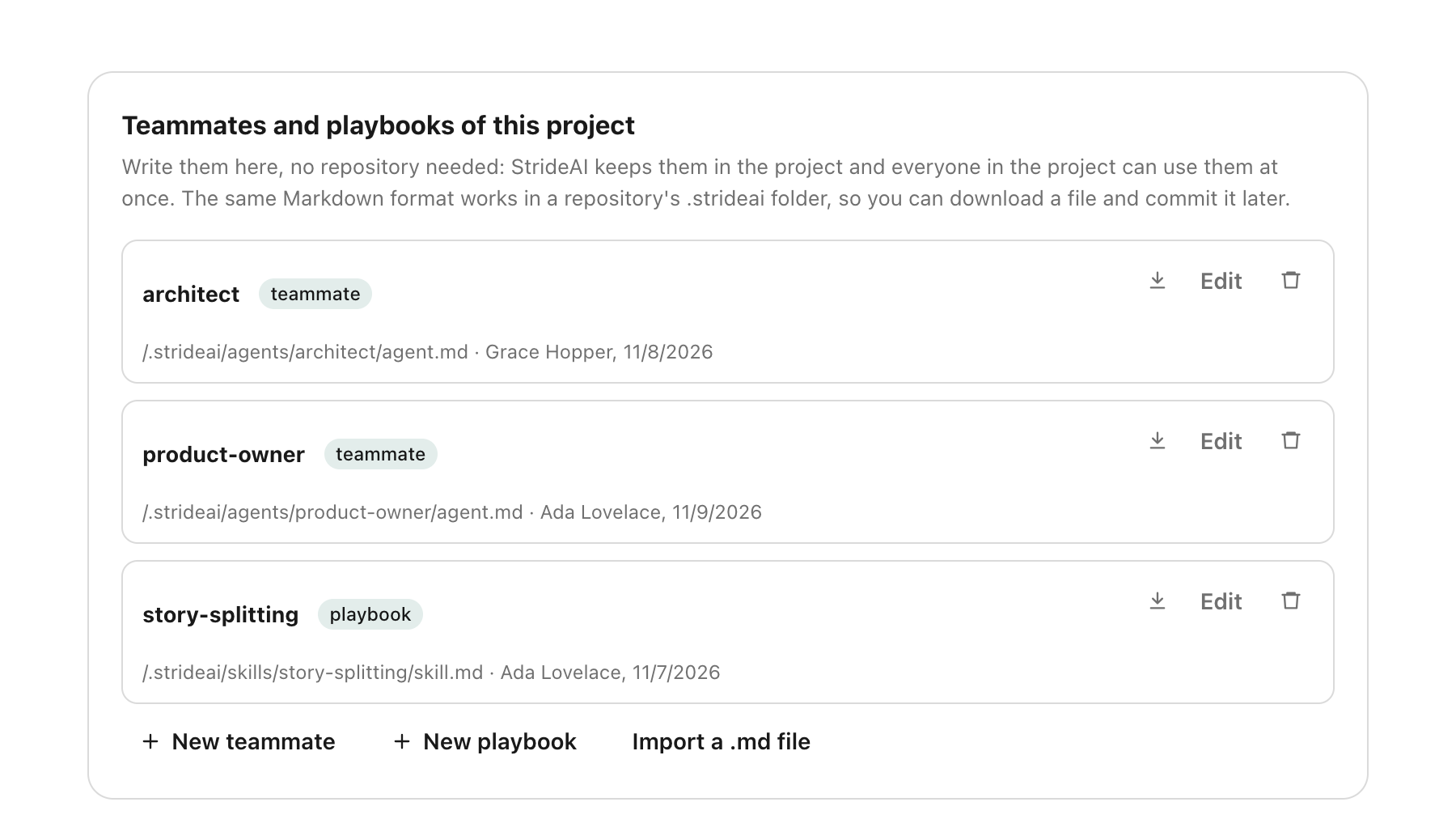
- Settings → Teammates (administrators): add a teammate or playbook, see the same checks the chat applies while typing, save, and everyone can use it right away. No repository needed; it works the same on Azure DevOps Services and Server.
- The project wiki under
/StrideAI/Teammatesand/StrideAI/Playbooks(anyone with wiki access, including from the Team page). A ```yaml block works as front matter. .strideaifolders in the code repositories you choose, for teams that keep their agreements in Git and review them in pull requests.
A starter pack with five teammates and three playbooks is included. A file written in Settings can be downloaded and committed later.
Use a teammate
Section titled “Use a teammate”Pick a teammate on the chips above the message box; the chat remembers it and each answer shows who answered. StrideAI’s own rules stay in place: approvals, Safety settings and secret redaction apply to every teammate, and a teammate can only narrow the tools, never widen them.

The Team page
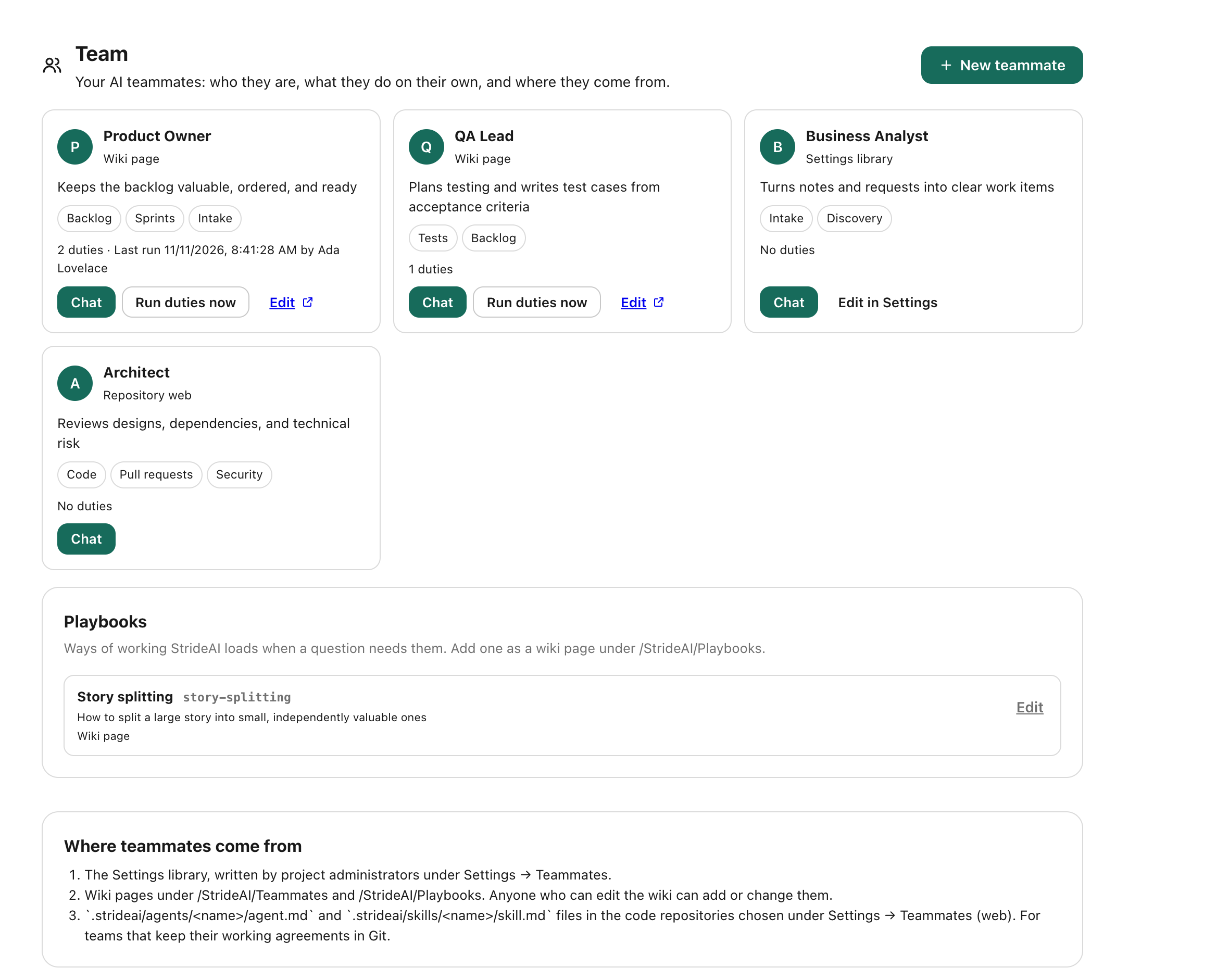
Section titled “The Team page”The Team tab in the StrideAI hub shows every teammate as a card: who it is, which areas it has, what it does on its own, and where it comes from. Chat starts a conversation, Run duties now runs its jobs, Edit opens its page. New teammate creates one from a role (Product Owner, Scrum Master, QA Lead, Business Analyst, Release Manager, or blank) and saves it as a wiki page.
Duties: teammates that do jobs for you
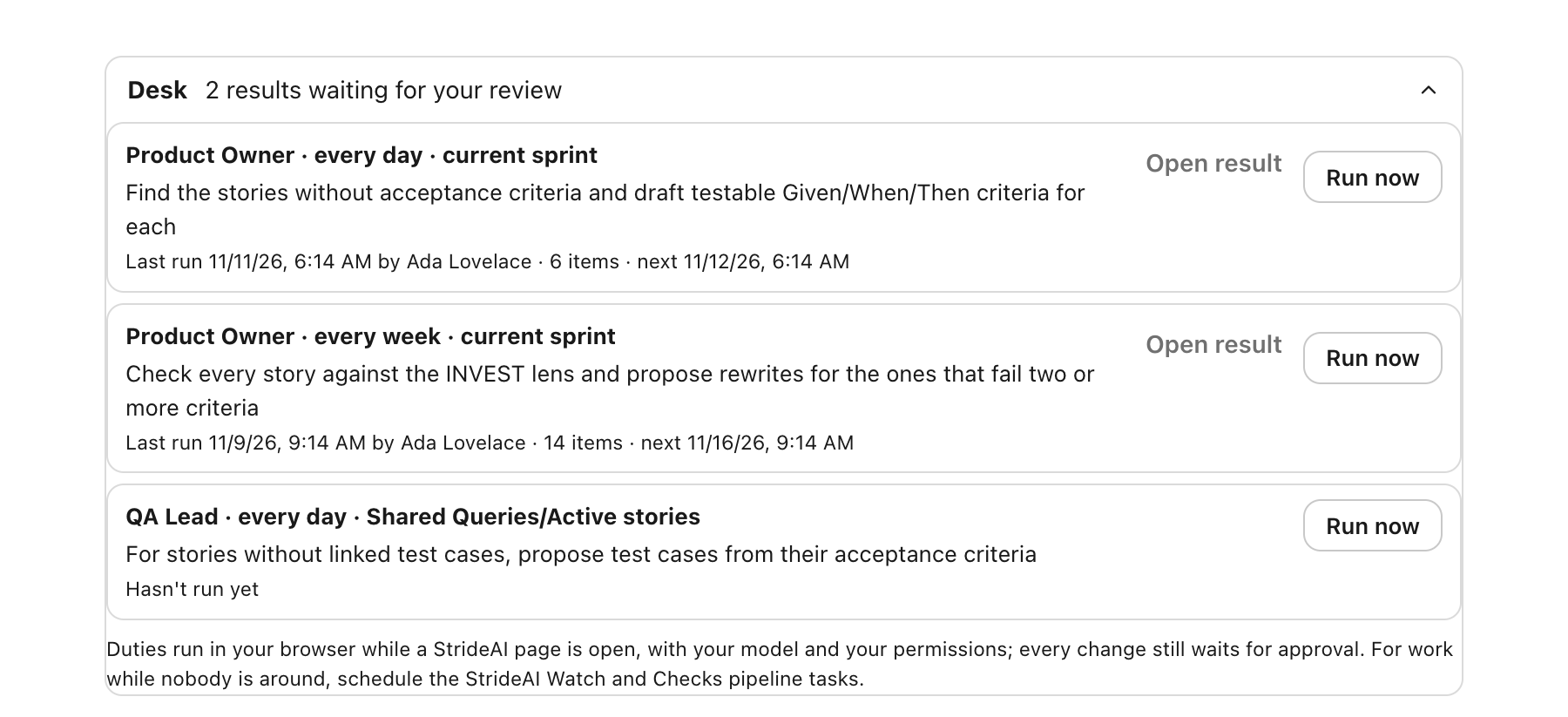
Section titled “Duties: teammates that do jobs for you”Give a teammate duties and it works while you do something else: every day, in the current sprint, find the stories without acceptance criteria and draft them; every week, check every story against INVEST and propose rewrites. The Desk panel in the hub shows each duty, when it last ran, what it found, and Run now. Results arrive as chats with changes waiting for your approval; nothing is applied on its own. Duties run in the browser of whoever has StrideAI open, with that person’s model and permissions.
A teammate can also take on Watch findings: give it on: [pipelineFailures] and new Watch chats about failing pipelines start with that teammate.
Front matter reference
Section titled “Front matter reference”---name: QA Leaddescription: Reviews stories for testability and proposes test cases.tools: read-only # optional: read-only, or a list of tool namesskills: [testing, quality] # optional: skills always loadedon: [pipelineFailures] # optional: Watch findings this teammate handlesduties: # optional - every: day scope: current sprint do: Find stories without acceptance criteria and draft them.---Instructions the teammate follows, in Markdown.