
Pipelines and releases
Find out why a pipeline failed
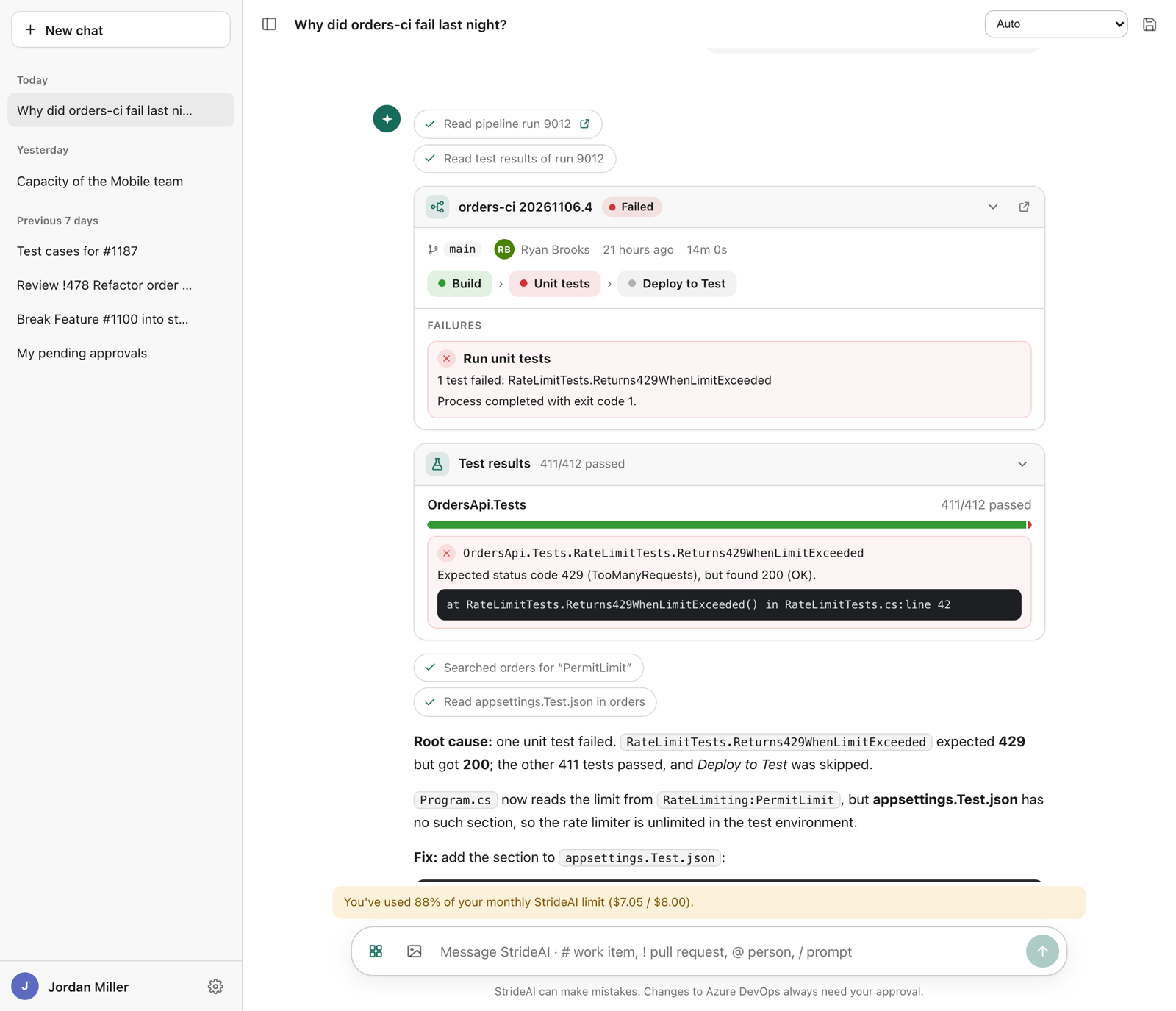
Section titled “Find out why a pipeline failed”Ask “Why did last night’s build fail?”. StrideAI reads the run timeline, failed tasks, logs and test results, looks into your code, and explains the root cause with a concrete fix.
Act on pipelines
Section titled “Act on pipelines”- Run, cancel or retry pipelines and stages.
- Approve or reject YAML and classic release approvals (high risk, shown on the approval card).
- Explain and fix YAML pipelines, and check YAML changes without running them.
- Show success rates and flaky tests.
YAML approvals and stage retry need an Azure DevOps Server version that supports them.
Release notes and test plans
Section titled “Release notes and test plans”- “Write the release notes for release 2.4”: from pull requests and work items, saved to the wiki with your approval. The release notes task does this automatically after each release build.
- Test plans: show progress and pass rates, create plans and suites, add test cases, record manual results, and read automated results. The test steward keeps a whole plan up to date from your pipelines.
Automate it
Section titled “Automate it”StrideAI ships five pipeline tasks that run on your agents with the pipeline’s own identity and, when you want AI, your own model: Pipeline tasks →